Your iPhone says storage is almost full. You open Photos, see 18,000 items and close it again. The hard part is rarely finding the delete button. It is making thousands of small decisions without removing something you care about.
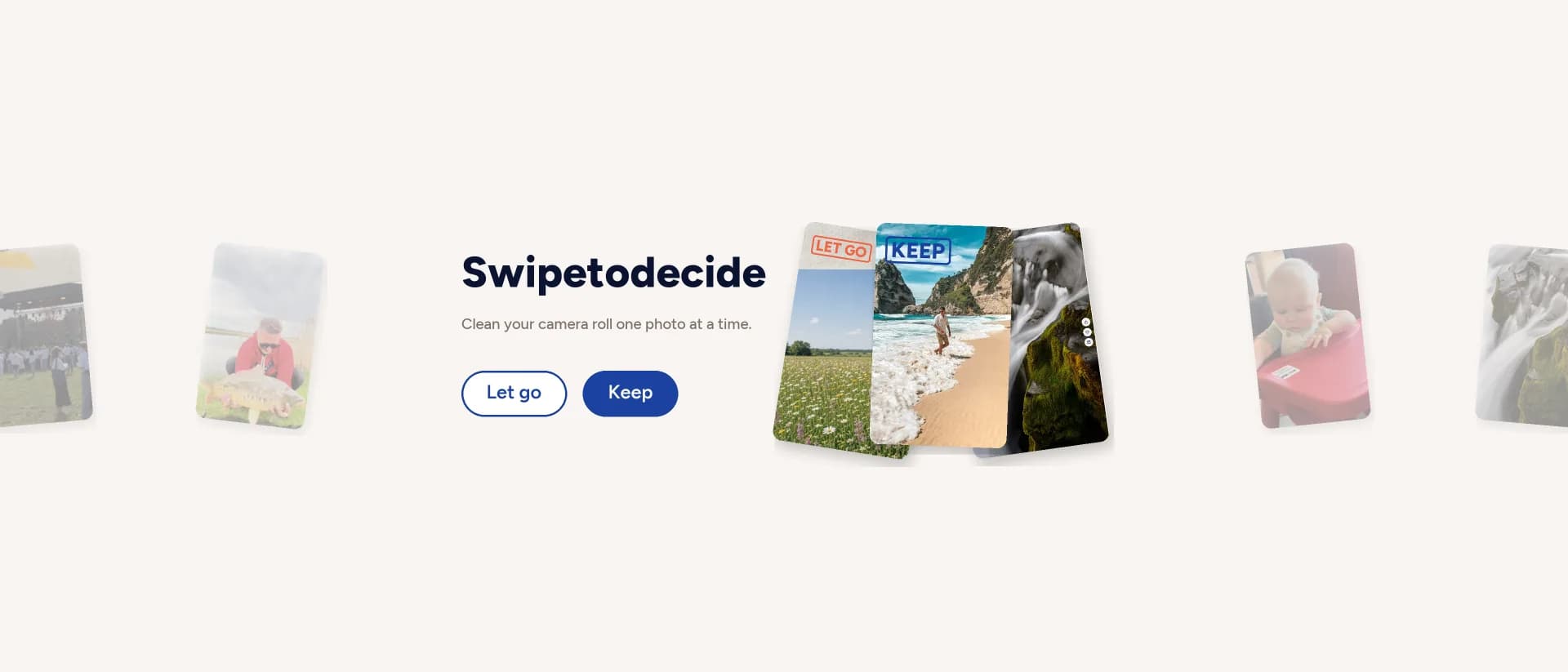
GoSwipe turns that job into a simple review queue: swipe right to keep, swipe left to set aside, then check the Bin before iOS deletes anything. It is focused and easy to understand. It is not the most feature-packed cleaner in the App Store, and it will not clear every kind of iPhone storage.
GoSwipe is best for people who want to review their own photos and videos without handing the decision to an algorithm. Start with videos and screenshots. Use Apple Photos first if you only need to merge exact duplicates.
First, find what is actually using the space
Before installing any cleaner, open Settings > General > iPhone Storage. Wait for the category bar and app list to load. This is the only useful starting point because the fix depends on the largest category.
If Photos is near the top, long 4K videos, screen recordings, Live Photos and years of screenshots are common causes. If Spotify, Netflix, Podcasts or Messages is larger, a photo cleaner will not solve the main problem. Remove downloads or attachments inside those apps instead.
iPhone storage and iCloud storage are also different. Optimize iPhone Storage can keep smaller copies on the phone while full-resolution originals remain in iCloud. That frees device storage but does not reduce the iCloud bill. To reclaim both, files must leave the photo library.

What GoSwipe actually does
GoSwipe is an iPhone and iPad photo-review app. It does one job: helps you decide what stays in the Photos library and what should be queued for deletion.
- 01
Swipe right to keep a photo or video.
- 02
Swipe left to add it to the in-app Bin.
- 03
Review every queued item before deleting.
- 04
Confirm the batch through Apple's iOS delete sheet.
A left swipe does not remove anything. Even after confirmation, iOS moves deleted items to Recently Deleted for 30 days. This two-stage flow is the main reason GoSwipe feels safer than rapidly tapping the trash icon in a grid.
The app requires iOS or iPadOS 16.4 or later. It is currently in English and requires an account through Sign in with Apple. Google sign-in may also be offered.
How it feels to use
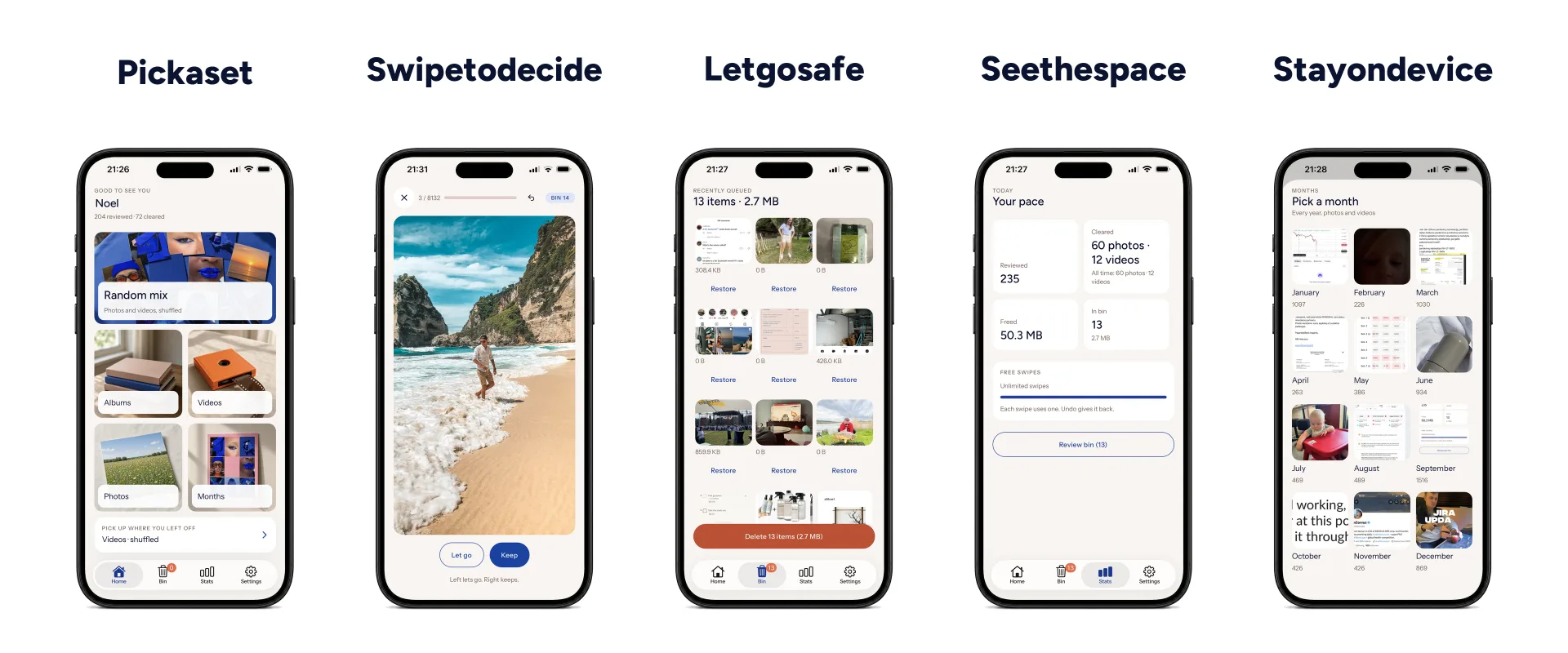
The strongest part of GoSwipe is the decision rhythm. Apple Photos shows a dense grid of small thumbnails. GoSwipe shows one item at a time. The question is always the same: keep it or let it go?

Videos
This is the best place to start when you need space now. Old screen recordings, accidental clips and long 4K videos can return more storage than deleting hundreds of normal photos.
Albums
Open one album and stay in context. Screenshots are an easy first pass because delivery codes, receipts and temporary references usually have a clear expiry date.
Months
Review a trip, event or old period from start to finish. Sorting oldest or newest first makes a large library feel finite.
Random Mix
Useful for a five-minute session when you do not want a project. It is less efficient than Videos or Screenshots when the goal is to free a specific amount of storage.
What GoSwipe does not do
- It does not automatically decide which memory has value.
- It does not clear app caches, downloads or message attachments.
- It does not compress videos or Live Photos.
- It does not have an Android version.
- It does not magically make a healthy iPhone faster.
Deletion safety and privacy
Two chances to change your mind
First review the GoSwipe Bin. Then confirm through the standard iOS sheet. Apple keeps confirmed deletions in Recently Deleted for 30 days unless you empty it manually.
Photos stay on the device
The library is read locally through Apple PhotoKit. Photos, videos, thumbnails, filenames, faces, asset identifiers and location metadata are not uploaded.
“Nothing is uploaded” does not mean the app stores no account data. GoSwipe stores a user ID, an email address when the sign-in provider shares one, subscription status and aggregate swipe counters. Its privacy policy explains the data, processors and retention periods. Account data is hosted in the European Union, and the account can be deleted from Settings.
If iCloud Photos is enabled, deleting an item removes it from every connected device after sync. iCloud is a synchronized library, not a separate backup. Export irreplaceable files to another location before emptying Recently Deleted.
GoSwipe compared with other options
GoSwipe is not the automatic winner. The right choice depends on whether you want duplicate detection, album organization, automation or a calm manual review.
Apple Photos
Apple Photos already finds duplicate photos and videos, provides storage recommendations and protects deletions for 30 days. It is free and should be the first stop.
Its weakness is manual review at scale. A grid of thousands of different photos is harder to process than one full-screen decision at a time.
Clever Cleaner
Clever Cleaner finds duplicate and similar photos, surfaces large files, compresses video and Live Photos, and includes a swipe mode. Its App Store listing presents the app as free and ad-free.
It offers more tools than GoSwipe for no subscription. Review automatic “similar” suggestions carefully because technical similarity does not measure personal value.
Swipewipe
Swipewipe has the same left-delete, right-keep foundation. It adds similar and blurry photo detection, an On This Day feature, a memory map and AI enhancement.
It is the richer product. GoSwipe is the more focused one and supports iOS 16.4, while the current Swipewipe listing requires iOS 18.
Slidebox
Slidebox combines deletion with album sorting, favorites and side-by-side comparison. It is a better fit when the library needs structure, not only more free space.
GoSwipe has a straighter path for reviewing videos, screenshots or one month at a time.
Which one should you choose?
- Use Apple Photos if exact duplicates are the main problem.
- Use Clever Cleaner if you want the broadest free toolset.
- Use Swipewipe if memory features and automatic categories matter.
- Use Slidebox if you want to organize albums while cleaning.
- Use GoSwipe if you want a focused manual review with a clear Bin and no photo uploads.
GoSwipe price and value
GoSwipe is free to download. Free accounts receive a fixed starter allowance of swipes. Both keep and delete decisions count, and the allowance does not reset. Every review mode and the Bin remain available.
At the time of this review, the Lithuanian App Store listed GoSwipe Pro at €4.99 per week or €29.99 per year. Regional prices can differ, so treat the App Store purchase sheet as the final price.
The annual plan is the sensible option for regular maintenance. The weekly plan only makes sense for one deliberate cleanup session, and only if you cancel it immediately after subscribing. Apple manages the billing, cancellation and purchase restoration.
A 20-minute phone storage cleanup
- Minutes 1-3
Open iPhone Storage and identify the two largest categories. Note how much space Photos uses before changing anything.
- Minutes 4-10
Open Videos in GoSwipe and review the oldest clips. Start with screen recordings, accidental captures and files you already exported.
- Minutes 11-14
Open the Screenshots album. Remove expired delivery codes, old tickets, copied social posts and references you no longer need.
- Minutes 15-17
Review every item in the GoSwipe Bin. Restore anything that creates doubt. There is no reward for deleting a memory you still value.
- Minutes 18-20
Return to iPhone Storage. Offload an unused app or remove downloads from the largest media app. Empty Recently Deleted only if you need the space immediately and have checked the batch.
Frequently asked questions
What is the fastest way to free up storage on an iPhone?
Open Settings, then General, then iPhone Storage. Start with the largest category. If Photos is near the top, review long videos and screenshots first. After deleting, empty Recently Deleted only when you are certain you no longer need those files.
Does GoSwipe delete photos immediately?
No. A left swipe only adds an item to the in-app Bin. You review the batch and confirm it through the standard iOS delete sheet. iOS then keeps the item in Recently Deleted for 30 days.
Does GoSwipe upload photos or videos?
No. GoSwipe reads the photo library on the device through Apple PhotoKit. Photo files, thumbnails, asset identifiers, faces, filenames and location metadata are not uploaded to GoSwipe servers.
Will deleting photos free iCloud storage too?
Yes, when iCloud Photos is enabled. Deletions sync across devices using the same Apple Account. The iCloud quota is reclaimed after those files leave Recently Deleted.
Can GoSwipe clear app caches or message attachments?
No. GoSwipe only manages the Photos library. Downloads, app caches and message attachments must be managed in iPhone Storage or inside the app that created them.
Is GoSwipe available for Android?
No. GoSwipe currently requires iOS or iPadOS 16.4 or later.
Final verdict
GoSwipe solves one narrow problem well: reviewing a photo library that has become too large to face in the normal Photos grid. The single-item view, separate Bin, iOS confirmation and 30-day recovery window make the process easy to understand.
Its limits are just as clear. It is Apple-only, the interface is in English, an account is required and the free swipe allowance does not renew. It also lacks the automatic duplicate detection and compression tools available in Clever Cleaner or Swipewipe.
If you only have a few duplicates, stay with Apple Photos. If you have thousands of mixed photos and videos and keep postponing the cleanup, the free GoSwipe download is enough to find out whether the swipe workflow suits you.